Trip planner for iPhone

Your whole trip, day by day.

From a weekend away to a ten-stop road trip, Planventure keeps every booking, plan and place in one timeline, with the weather, what to pack and the local currency right alongside.

Download on the App Store One-time purchase · No subscription · No ads

Everything for the trip, in one place

No more jumping between booking emails, notes and weather apps.

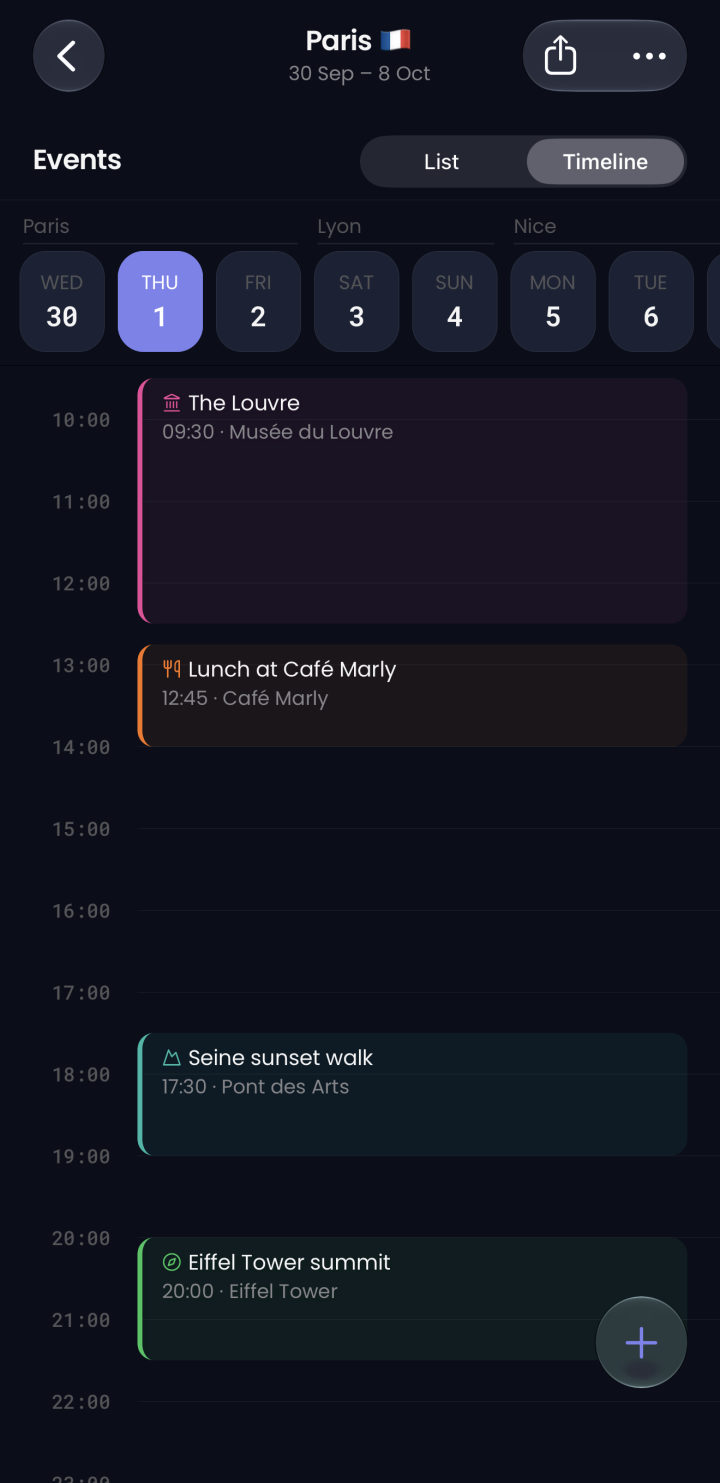
A day in Paris on Planventure's timeline: the Louvre, lunch at Café Marly, a Seine sunset walk and the Eiffel Tower, colour-coded by category
Plan every day

See each day at a glance

Switch between a list and a timeline that shows how your day fits together. Swipe between days, and drag an event to move it.

  • Colour-coded categories, from flights and hotels to food and sightseeing
  • Times stay in your destination's time zone, wherever you check them
  • Reminders before each event, if you want them
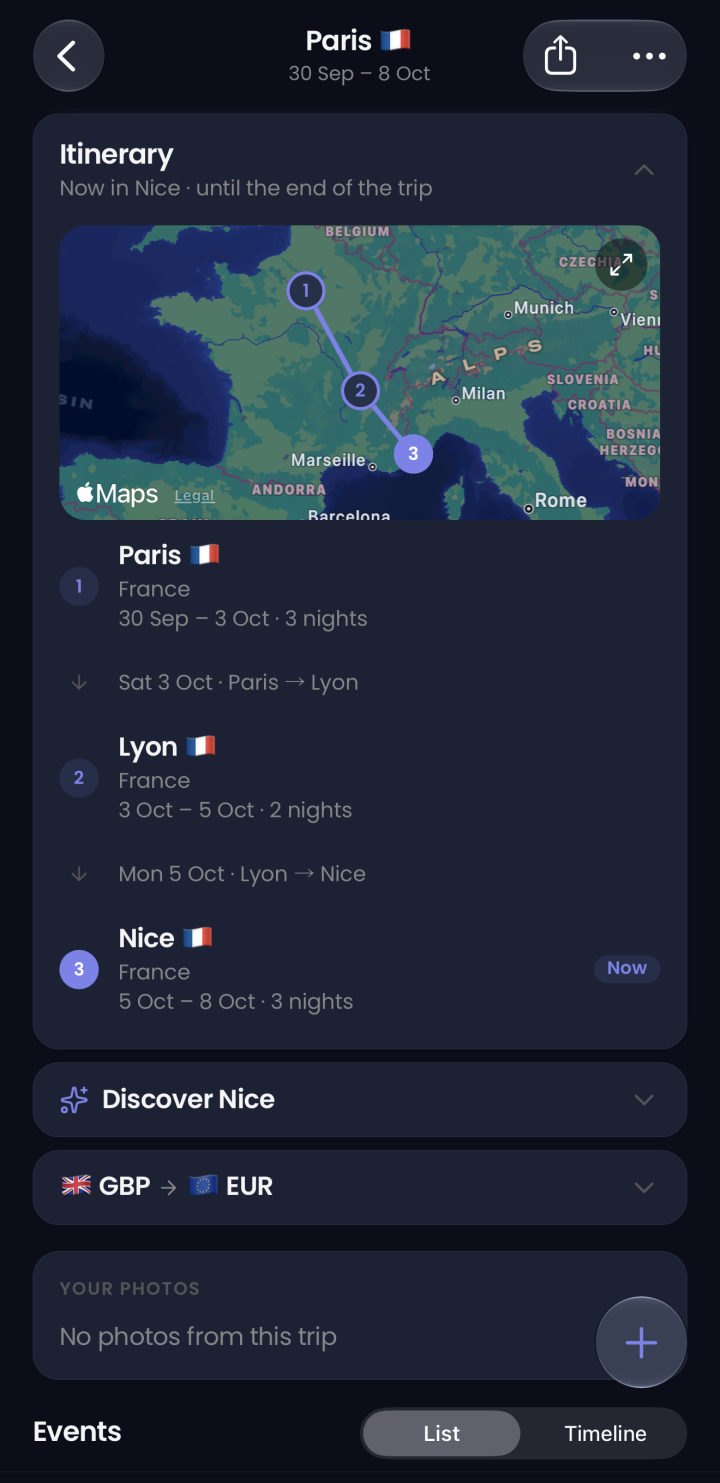
A French road trip itinerary: a route map from Paris to Lyon to Nice, nights at each stop, the travel between them and Nice marked as now
Road trips

Road trips, stop by stop

Add every stop on your route and how many nights you'll spend at each. Planventure works out the dates, puts your stops on a map and knows where you are each day.

  • A map of your stops, joined in order
  • Travel between stops, with a prompt to add it if it's missing
  • Weather, currency and destination tips follow today's stop
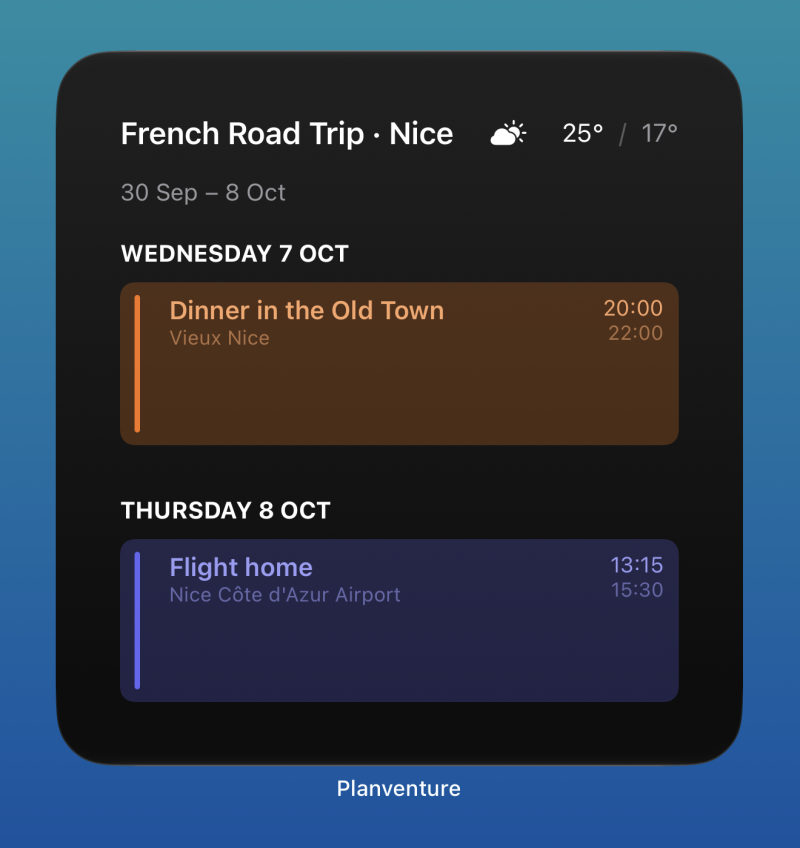
Planventure's large Home Screen widget showing the French Road Trip in Nice, the weather and the next events: dinner in the Old Town and the flight home
Widgets

Your next event, on your Home Screen

Check what's next without opening the app. Before you go, the widget counts down the days; once you're away, it shows today's plans.

  • Home Screen and Lock Screen widgets in several sizes
  • Events colour-coded like the app, with the day's weather
  • Tap an event to jump straight to it
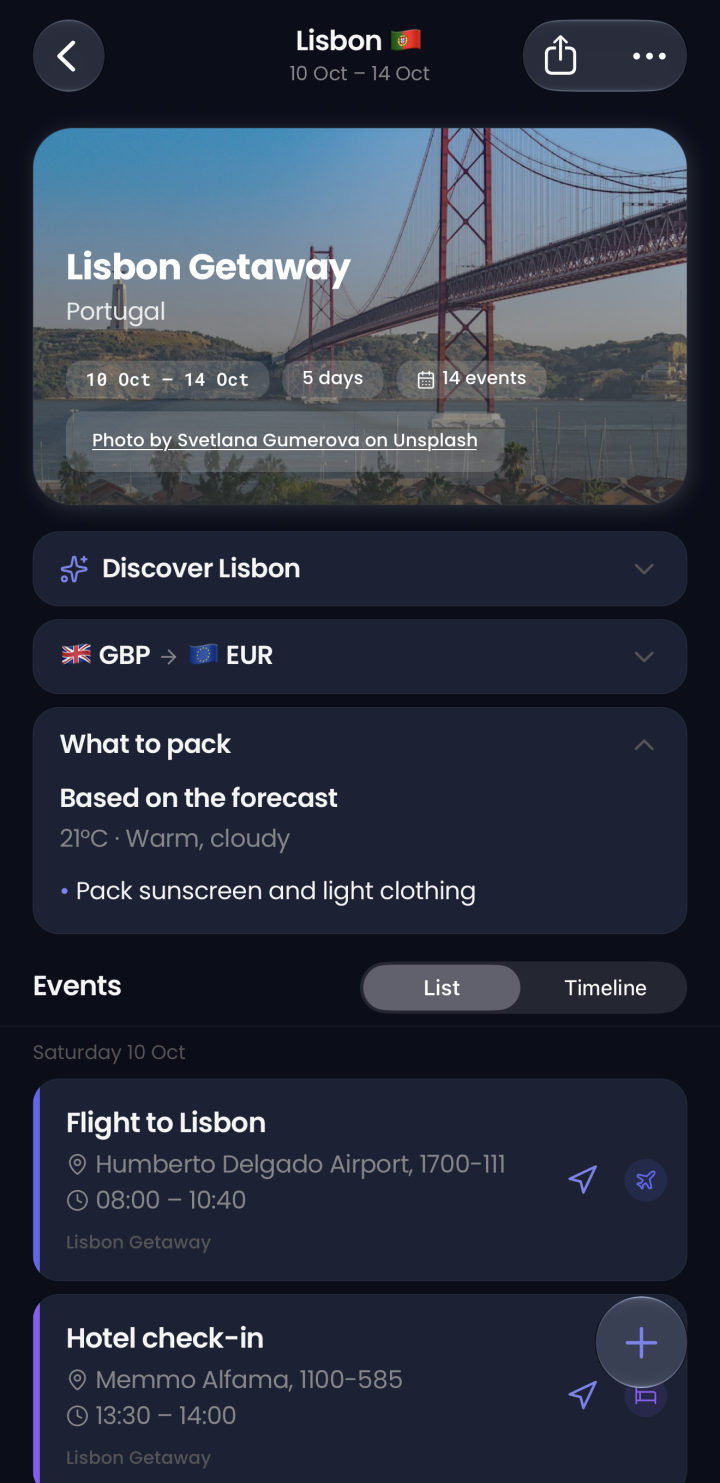
A Lisbon trip in Planventure: a photo of the 25 de Abril bridge, Discover Lisbon, pounds to euros, what to pack based on the forecast and the day's events
Know before you go

Weather, packing and money, sorted

Each trip brings together what you need to know about your destination, so you can pack the right things and know what things cost.

  • Forecasts from Apple Weather, and typical weather for trips further off
  • Packing tips based on the forecast for your dates
  • A currency converter set to your destination's money

The little things that help

Tickets and bookings

Attach boarding passes, confirmations and PDFs to any event, and add links to your bookings.

Everything on a map

See your trips on one map, and open any event's location in Maps for directions.

Share with your group

Send a trip, with its attachments if you like, by Messages, Mail or AirDrop. Everyone gets their own copy.

Event reminders

Get a nudge 15 minutes, an hour or a day before each event, so you're never late for a train.

Your trip photos

Find the photos you took on each trip from your library, without scrolling back through months.

Discover your destination

Optional summaries of where you're going, written on your iPhone by Apple Intelligence.

Your plans stay on your phone

Planventure doesn't need an account, and your trips aren't stored on our servers. The weather, photos and place details are fetched using only the names and locations of where you're going. Read the privacy policy.

  • No account or sign-up
  • No ads, no tracking, no analytics
  • Trips, attachments and photos stay on your iPhone
  • Works offline, so your plans are there without signal

Questions

Is there a subscription?

No. Planventure is a one-time purchase on the App Store, with no subscription and no ads.

Do I need an account?

No. There's nothing to sign up for. Your trips, events, attachments and photos are stored on your iPhone.

Does Planventure work offline?

Yes. Your trips, events and attachments are on your phone, so you can see your plans without signal. Weather, destination photos, place search and exchange rates update when you're online.

Can I plan a road trip with several stops?

Yes. Add up to ten stops, set how many nights you spend at each, and Planventure shows your stops in order on a map, the travel between them, and the weather and currency for wherever you are that day.

Can I share a trip with someone?

Yes. Share a trip, with or without its attachments, as a file through Messages, Mail, AirDrop or any app. The other person opens it in Planventure and gets their own copy to edit.

Which devices are supported?

iPhone running iOS 18 or later, with widgets for the Home Screen and Lock Screen.

Start planning your next trip

Available now on iPhone.